Case Study
Turn spoken notes into editable task cards.
Heard Sheep is a web page experiment around voice notes. It turns a short recording or text note into draft task cards, so the user can review the content before adding it to a list.
Background
Background
Many tasks do not start as clean checklist items. They appear in chats, meetings, and quick reminders. Saving the raw note is not enough, but letting a system decide everything can also be risky.
What I tried
What I tried
The page confirms the input first, then shows draft tasks. The user can edit, select, or discard them before adding anything to the task list.
What I worked on
Organized the use case and page structure
Built and redesigned the 390px mobile workspace
Added voice, image, and text input
Designed the draft-task display
Deployed the page under /sheep
Page path
Record or type
Review text
Generate draft tasks
Edit cards
Add to list
Page details
Review input first
The transcript is shown before later steps depend on it.
Draft tasks
The result appears as an editable draft, not an automatic change to the list.
Manual fallback
Manual input keeps the page usable when recording or analysis fails.
Screens
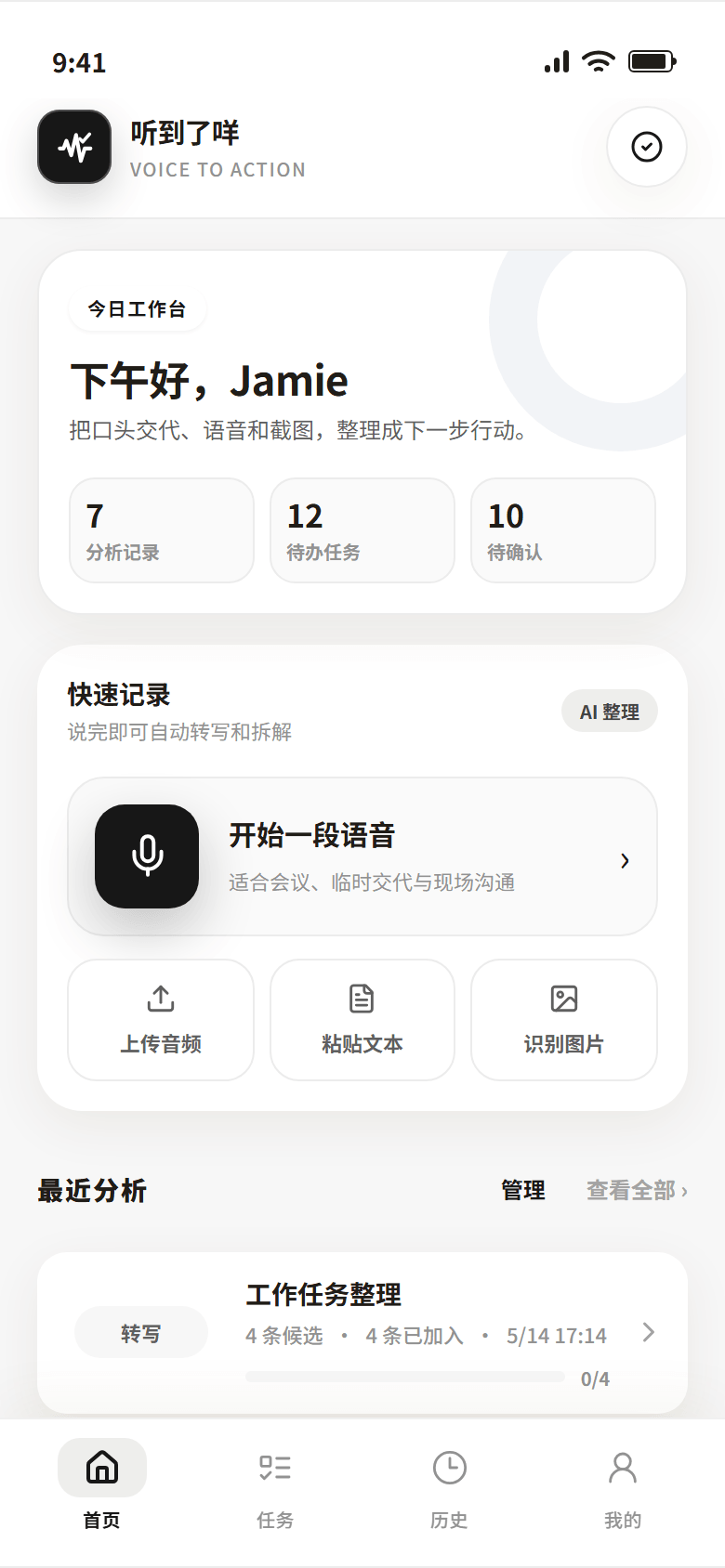

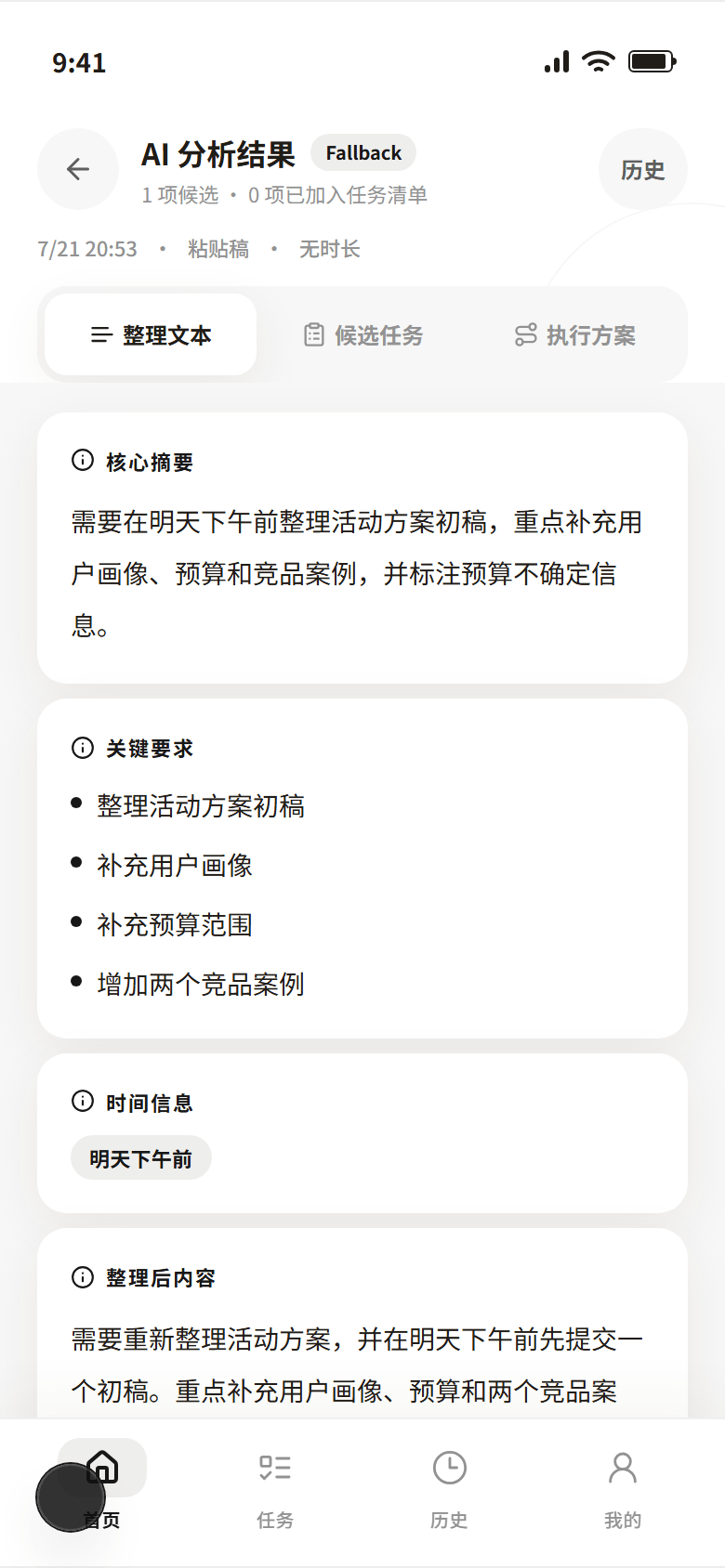

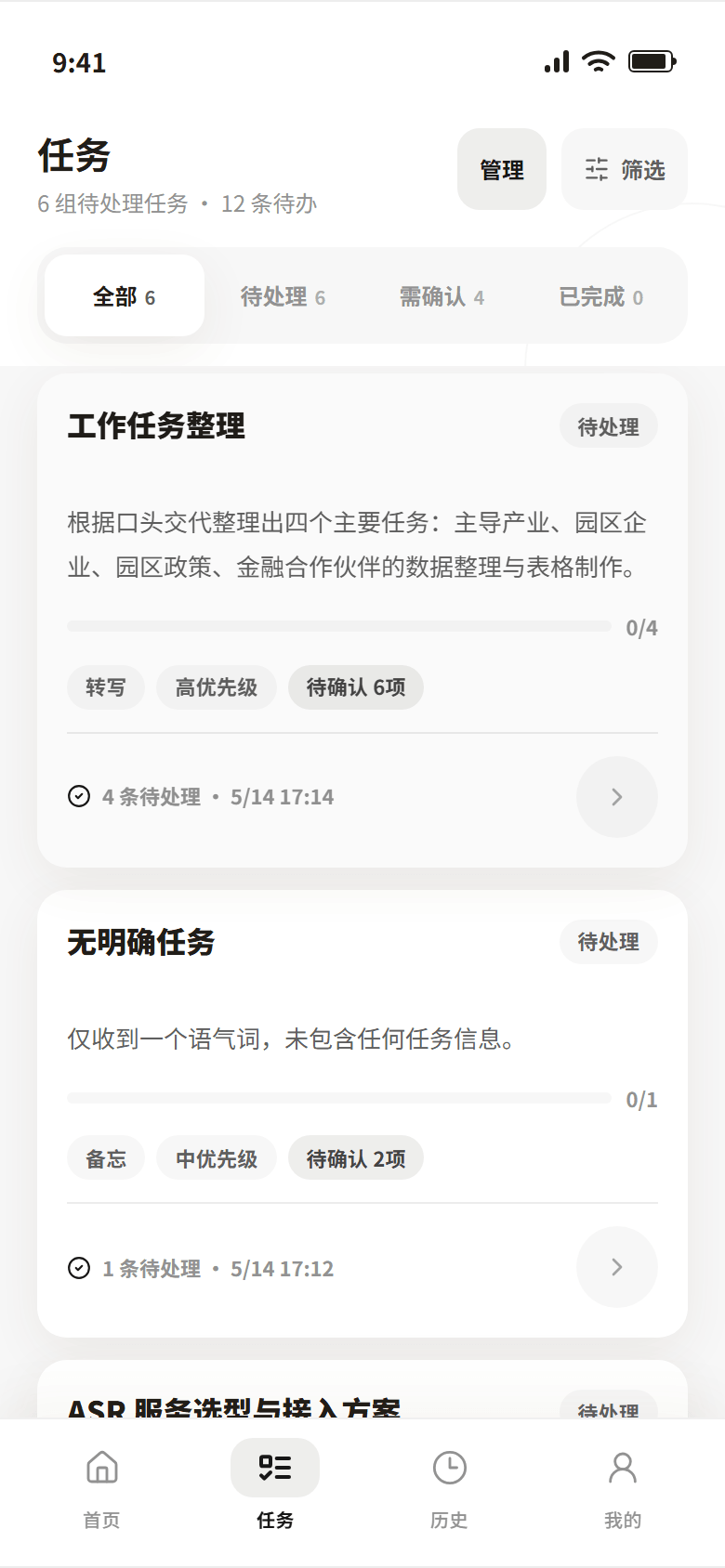

AI-related attempt
This project tries to turn voice, image, and text input into structured fields. AI suggests draft results, while the user keeps the final decision.
Tech Stack
Next.js App Router / React / TypeScript / Tailwind CSS
Web Speech API / Audio / Image / Text
Xiaomi MiMo / OpenAI-compatible API / Structured JSON
Docker / Nginx / basePath=/sheep / local JSON
Finished parts
390px mobile workspace
Voice and text input
Input review
Task cards
Local history
/sheep route
Reflection
The hard part is not only recognition quality. It is also whether the user can trust the organized result. Keeping results as drafts adds a step, but makes mistakes easier to catch.
11 / Page / Code